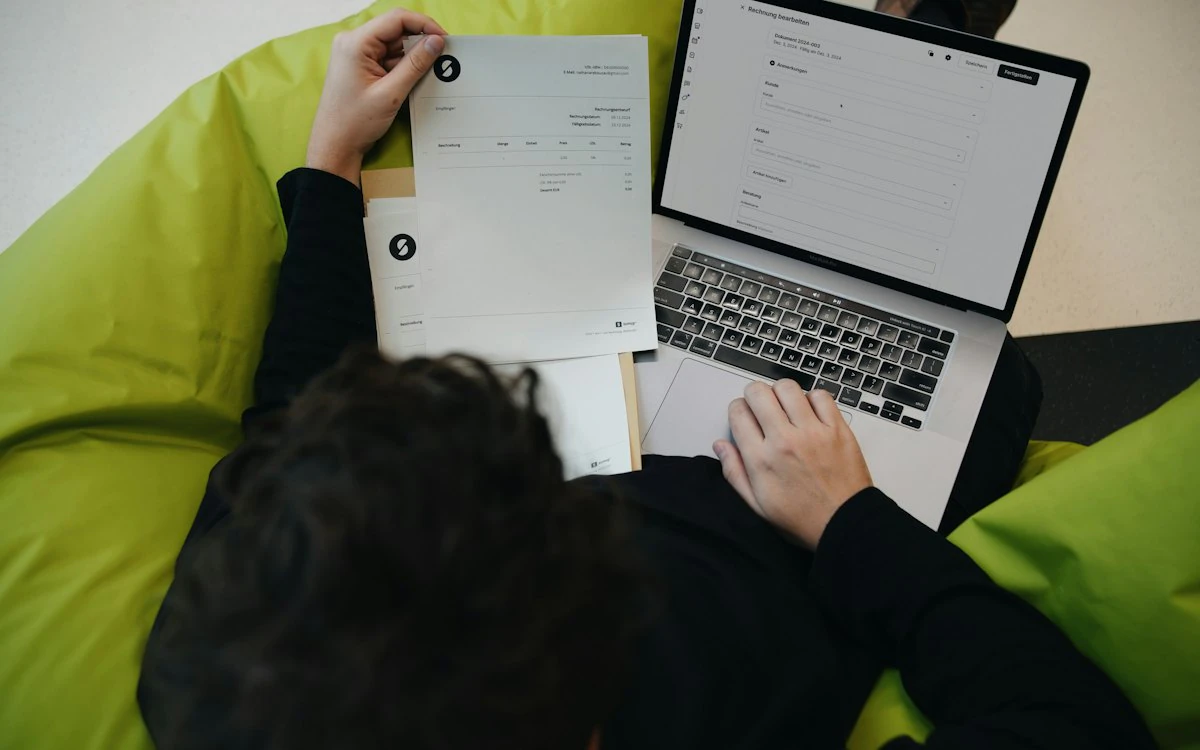
For many businesses, accounting starts simply.
A spreadsheet tracks income and expenses. Invoices are created manually. Financial reports are prepared when needed. An accountant may manage most of the bookkeeping, while business owners rely on periodic updates to understand how the company is performing.
That approach can work when transaction volumes are low.
But as a business grows, finance becomes more complicated.
There are more customers, more invoices, more expenses, more employees, more vendors and more financial transactions to manage.
At that point, businesses often begin looking for accounting software that is easier to access, easier to collaborate on and capable of providing a more current view of their finances.
This is where cloud accounting comes in.
What Is Cloud Accounting?
Cloud accounting is the use of accounting software hosted online, where financial data and accounting applications are accessed through the internet rather than being tied to a single local computer or office server.
Instead of installing accounting software on one computer and keeping financial information there, authorized users can access the accounting system through supported web or application interfaces.
Cloud accounting can support activities such as:
- Invoicing
- Billing
- Expense tracking
- Financial reporting
- Budget management
- Cash-flow monitoring
- Accounts receivable
- Accounts payable
- Tax-related accounting processes
- Financial record management
The exact capabilities vary from one accounting platform to another.
The fundamental difference is where and how the accounting system is accessed and managed.
Cloud accounting moves accounting from a primarily device-based model toward a connected, online model.
Cloud Accounting in Simple Terms
Imagine that your accounting software is installed on the office computer.
Only people with access to that computer or network can conveniently work with the system.
Now imagine that the accounting system is hosted online.
Your authorized finance team, business owner and accountant can access the same system from different locations, subject to the permissions and capabilities of the platform.
That's the basic idea behind cloud accounting.
Traditional approach
Computer → Accounting Software → Local Data
Cloud approach
Internet → Cloud Accounting Platform → Centralized Financial Data
This difference can have a major impact on how growing businesses manage their financial operations.
How Does Cloud Accounting Work?
Cloud accounting typically works through a combination of online software, centralized data storage, user access controls and automated financial workflows.
A simplified process looks like this:
Business Transaction
↓
Accounting System
↓
Financial Record
↓
Real-Time Processing
↓
Reports & Dashboards
↓
Business Decision
For example, suppose a business sends an invoice to a customer.
The invoice is recorded in the accounting system.
When the customer pays, the payment can be recorded against the invoice.
The business can then see the updated status of the receivable and use that information in its financial reporting.
Modern cloud accounting systems may also connect with other business tools, payment systems and financial services to reduce manual data entry and improve information flow.
What Is the Difference Between Cloud Accounting and Traditional Accounting?
The biggest difference is the way the accounting software and data are accessed.
Traditional desktop accounting software is generally installed on a specific computer or local network.
Cloud accounting is designed to be accessed online.
Here's a simplified comparison:
Access
- Traditional/Desktop Accounting
- Usually device/network dependent
- Cloud Accounting
- Internet-based
Remote access
- Traditional/Desktop Accounting
- Often limited
- Cloud Accounting
- Core capability
Collaboration
- Traditional/Desktop Accounting
- Can require file sharing
- Cloud Accounting
- Multiple authorized users
Updates
- Traditional/Desktop Accounting
- May require manual installation
- Cloud Accounting
- Provider-managed
Data access
- Traditional/Desktop Accounting
- Local or network-based
- Cloud Accounting
- Online
Scalability
- Traditional/Desktop Accounting
- Depends on infrastructure
- Cloud Accounting
- Generally easier to scale
Backup
- Traditional/Desktop Accounting
- Often requires local processes
- Cloud Accounting
- Typically provider-managed
Integrations
- Traditional/Desktop Accounting
- Depends on software
- Cloud Accounting
- Often designed for connected systems
Real-time visibility
- Traditional/Desktop Accounting
- Can be limited
- Cloud Accounting
- Typically stronger
Multi-location teams
- Traditional/Desktop Accounting
- Can be more difficult
- Cloud Accounting
- Better suited
| Feature | Traditional/Desktop Accounting | Cloud Accounting |
|---|---|---|
| Access | Usually device/network dependent | Internet-based |
| Remote access | Often limited | Core capability |
| Collaboration | Can require file sharing | Multiple authorized users |
| Updates | May require manual installation | Provider-managed |
| Data access | Local or network-based | Online |
| Scalability | Depends on infrastructure | Generally easier to scale |
| Backup | Often requires local processes | Typically provider-managed |
| Integrations | Depends on software | Often designed for connected systems |
| Real-time visibility | Can be limited | Typically stronger |
| Multi-location teams | Can be more difficult | Better suited |
Cloud accounting platforms commonly emphasize accessibility, collaboration, automated updates, scalability and automation.
However, cloud doesn't automatically mean better for every business.
The right accounting system depends on the organization's size, processes, compliance requirements, integrations, security needs and operational model.
Why Are Growing Businesses Moving to Cloud Accounting?
Growth changes the requirements placed on an accounting system.
A business with ten transactions a week has very different requirements from one processing thousands of transactions every month.
As the business grows, finance teams often need:
- Faster access to financial information
- Better collaboration
- More structured workflows
- Better reporting
- Greater automation
- More users
- Stronger controls
- Better visibility into cash flow
- Easier access for accountants and advisors
Cloud accounting can address many of these requirements.
1. Access Financial Information From Anywhere
One of the most obvious advantages of cloud accounting is accessibility.
Because the system is accessed online, authorized users don't necessarily need to be physically sitting at the office computer where the accounting software was installed.
This can be useful for:
- Business owners
- Finance teams
- Remote employees
- External accountants
- Chartered accountants
- Financial advisors
- Multi-location businesses
For example, a business owner travelling for a meeting may need to check whether a major customer has paid an invoice.
With an online accounting platform, that information can potentially be accessed without waiting for someone in the office to provide an update.
Cloud accounting is specifically designed around this type of online accessibility.
2. Improve Collaboration Between Finance Teams and Accountants
Finance is rarely handled by just one person.
A growing business may involve:
Founder + Finance Manager + Accountant + CA + Operations Team
If everyone is working from different spreadsheets or copies of financial files, collaboration can become difficult.
Cloud accounting allows authorized users to work from a centralized accounting environment.
Instead of:
"I'll send you the latest Excel file."
the workflow can become:
"The latest financial information is already available in the accounting system."
Cloud systems can allow multiple users and external accountants to access the same financial information according to their permissions.
This can reduce unnecessary file sharing and version confusion.
3. Get More Current Financial Information
Financial decisions are only as useful as the information behind them.
Suppose a business owner wants to know:
How much money is currently outstanding from customers?
If the accounting records were last updated several days ago, the answer may not reflect the current situation.
Cloud accounting can provide more timely financial information when transactions are recorded or synchronized into the system.
This can improve visibility into areas such as:
- Accounts receivable
- Expenses
- Revenue
- Cash flow
- Outstanding invoices
- Financial performance
Real-time or near-real-time visibility depends on the software, integrations and how transactions enter the system, so businesses should evaluate this capability rather than assuming every cloud product provides the same level of real-time data.
4. Reduce Repetitive Accounting Work
Accounting contains many repetitive activities.
For example:
- Entering invoice information
- Categorizing expenses
- Recording payments
- Sending invoice reminders
- Reconciling transactions
- Preparing recurring invoices
- Generating reports
Cloud accounting platforms can automate some of these activities.
Automation can reduce manual effort and allow finance teams to focus more on reviewing information, resolving exceptions and supporting business decisions.
For example:
Manual process
Invoice → Manual Entry → Manual Tracking → Manual Reminder
Automated workflow
Invoice → Accounting System → Tracking → Automated Reminder
The exact automation capabilities depend on the platform.
5. Make Financial Reporting Easier
Financial reports help businesses answer important questions.
Are we profitable?
How much revenue are we generating?
What are our biggest expenses?
How much cash do we have?
Which customers still owe us money?
How are we performing against our budget?
Cloud accounting can centralize the underlying financial information needed to generate these reports.
Instead of building every report manually from spreadsheets, businesses can use the reporting capabilities built into their accounting platform.
6. Support Business Growth
A finance system that works for a small company may become inefficient as transaction volumes increase.
Growth can introduce:
- More customers
- More invoices
- More vendors
- More expenses
- More employees
- More locations
- More financial data
- More users
Cloud accounting can make it easier to add users, expand workflows and connect other systems without building an entirely new local infrastructure.
Scalability is commonly cited as one of the benefits of cloud accounting.
7. Reduce Dependence on Local Hardware
Traditional accounting environments can depend heavily on a particular computer, office server or local network.
That creates operational risks.
What happens if:
- The computer fails?
- The hard drive becomes corrupted?
- The office becomes inaccessible?
- A critical employee is unavailable?
- A team member needs to work remotely?
Cloud accounting reduces dependence on a single physical machine.
That doesn't mean businesses no longer need backups, security controls or continuity planning.
It means the accounting system isn't necessarily dependent on one office computer.
8. Make Software Updates Easier
Traditional software may require organizations to download, install and maintain updates.
Cloud accounting providers typically manage updates, maintenance and infrastructure on the service side.
This can reduce the technical burden placed on individual businesses.
For finance teams, the practical benefit is simple:
Spend less time maintaining accounting software and more time using it.
9. Support Multi-Location Businesses
As businesses expand, they may operate from:
- Multiple offices
- Multiple cities
- Multiple branches
- Remote locations
- Distributed teams
Managing financial information across locations can become difficult if every location maintains separate accounting files.
A centralized cloud accounting environment can provide a more connected approach, depending on the platform's multi-entity and multi-location capabilities.
10. Improve Cash-Flow Visibility
Profit doesn't always mean cash is available.
A business can be profitable while still experiencing cash-flow pressure because customers haven't paid invoices or because significant expenses are due.
Cloud accounting can help businesses monitor financial information related to:
- Receivables
- Payables
- Expenses
- Revenue
- Cash position
- Outstanding invoices
This gives management better information for cash-flow decisions.
Cloud Accounting and Cash Flow: Why the Connection Matters
Consider a simple example.
A business generates:
₹10 lakh in sales
But customers have only paid:
₹6 lakh
The remaining:
₹4 lakh
is tied up in receivables.
If the business has:
₹5 lakh of upcoming expenses
cash-flow management becomes important even though the business has generated substantial revenue.
An accounting system that provides timely visibility into receivables and payables can help management understand this situation earlier.
Is Cloud Accounting Secure?
Security is one of the most important questions businesses should ask before moving financial information to the cloud.
Cloud accounting does not mean:
"Put financial data on the internet and forget about security."
A proper cloud accounting environment should involve controls such as:
- User authentication
- Role-based access
- Access permissions
- Encryption
- Backups
- Monitoring
- Audit trails
- Security updates
Cloud providers can implement security infrastructure that may be difficult for smaller businesses to build themselves.
However, businesses still have responsibilities.
They should:
- Use strong passwords
- Enable multi-factor authentication where available
- Restrict user permissions
- Remove access when employees leave
- Review access regularly
- Train employees against phishing
- Understand the provider's security policies
Cloud accounting isn't automatically secure simply because it's in the cloud.
Security depends on both the provider and how the business configures and uses the system.
Does Cloud Accounting Require an Internet Connection?
Generally, cloud accounting relies on internet connectivity because users access the accounting application online.
This is an important difference from traditional desktop applications.
However, the exact offline capabilities vary by platform.
Businesses operating in locations with unreliable internet should evaluate:
- Offline functionality
- Mobile access
- Data synchronization
- Connectivity requirements
- Business continuity options
before selecting a platform.
Is Cloud Accounting Suitable for Small Businesses?
Yes.
Cloud accounting isn't only for large enterprises.
Small businesses can benefit from:
- Online access
- Easier collaboration
- Automated workflows
- Digital invoicing
- Financial reporting
- Expense tracking
- Better financial visibility
It can also provide a foundation that the business can continue using as transaction volumes increase.
But small businesses should avoid paying for complexity they don't need.
The best system is one that matches the company's current requirements while providing a sensible path for growth.
Is Cloud Accounting Suitable for Growing Businesses?
This is where cloud accounting can become particularly valuable.
Growth introduces complexity.
Consider what happens when a company moves from:
5 employees → 25 employees → 100 employees
Or:
50 invoices/month → 500 invoices/month → 5,000 invoices/month
Financial processes need to evolve alongside the business.
A growing company may need:
- More users
- Better approvals
- More automation
- Stronger reporting
- Better expense management
- Better invoice management
- More detailed financial controls
- Improved cash-flow visibility
Cloud accounting can provide the infrastructure for these requirements.
Cloud Accounting for Indian Businesses
For Indian businesses, choosing accounting software also requires attention to local financial and tax requirements.
Businesses should evaluate whether the platform supports the relevant requirements for their operations, such as:
- GST-related workflows
- Tax invoices
- Appropriate tax reporting
- Business expense tracking
- Financial reporting
- Applicable compliance processes
Not every cloud accounting product offers the same India-specific capabilities.
So businesses should verify current compliance functionality with the software provider and their accounting professional before making a purchasing decision.
This is particularly important because tax and regulatory requirements can change.
Cloud Accounting vs Spreadsheets
This is another important comparison for growing businesses.
Spreadsheets are flexible and inexpensive.
But as financial complexity grows, spreadsheets can become difficult to control.
Flexible
- Cloud Accounting
- Structured
Manual data entry
- Cloud Accounting
- Automation available
Version management required
- Cloud Accounting
- Centralized system
Reporting can be manual
- Cloud Accounting
- Built-in reporting
Collaboration can become difficult
- Cloud Accounting
- Multi-user collaboration
Error-prone at scale
- Cloud Accounting
- Workflow controls
Difficult to scale
- Cloud Accounting
- Designed to scale
Limited financial workflows
- Cloud Accounting
- Accounting-specific workflows
| Spreadsheets | Cloud Accounting |
|---|---|
| Flexible | Structured |
| Manual data entry | Automation available |
| Version management required | Centralized system |
| Reporting can be manual | Built-in reporting |
| Collaboration can become difficult | Multi-user collaboration |
| Error-prone at scale | Workflow controls |
| Difficult to scale | Designed to scale |
| Limited financial workflows | Accounting-specific workflows |
The question isn't whether spreadsheets are bad.
They're useful tools.
The question is:
At what point does the business need a system specifically designed to manage accounting?
When Should a Business Move to Cloud Accounting?
There isn't one universal revenue threshold.
Instead, look for operational signals.
You may be ready for cloud accounting when:
1. Your finance team is spending too much time on manual work.
2. Multiple people need access to financial information.
3. Your accountant and internal team constantly exchange files.
4. You're maintaining multiple financial spreadsheets.
5. You struggle to get current financial information.
6. Invoice volumes are increasing.
7. Expense management is becoming difficult.
8. Your business operates across locations.
9. Management wants better financial reporting.
10. Your existing accounting system is becoming difficult to scale.
These are operational indicators rather than strict rules.
How to Choose Cloud Accounting Software
Moving to the cloud isn't the final decision.
You still need to choose the right accounting platform.
Here are the areas to evaluate.
1. Core Accounting
Does the platform provide the accounting functionality your business actually needs?
2. Invoicing
Can you create, send and track invoices efficiently?
3. Expense Management
Can your team record, categorize and monitor expenses?
4. Financial Reporting
Can management quickly access the reports needed to make decisions?
5. Cash-Flow Visibility
Can you monitor receivables, payables and cash position?
6. Automation
Which repetitive finance activities can the platform automate?
7. User Access
Can different employees have different permissions?
8. Integrations
Can the accounting platform connect with the other systems your business already uses?
9. Scalability
Will the platform continue to work when your transaction volume grows?
10. Compliance
Does it support the relevant accounting and tax requirements for your business?
What Should You Ask Before Moving Your Accounting to the Cloud?
Before migrating, ask:
Where is our financial data currently stored?
How many people need access?
What accounting processes are currently manual?
How many invoices do we process every month?
How do we track expenses?
How do we monitor receivables?
How do we monitor payables?
How quickly can management access financial reports?
What integrations do we need?
What compliance requirements apply to our business?
How will historical accounting data be migrated?
What permissions should each user have?
These questions help turn cloud migration from a technology decision into a business-process decision.
How Do You Move From Traditional Accounting to Cloud Accounting?
A successful migration should be planned rather than rushed.
Step 1: Review Your Existing Accounting Processes
Document:
- Current software
- Spreadsheets
- Manual processes
- Reports
- Integrations
- Users
- Approval workflows
Step 2: Identify Problems
Find out where your current process is creating:
- Delays
- Errors
- Duplicate work
- Poor visibility
- Reporting problems
Step 3: Define Requirements
Decide what the new system must support.
Step 4: Select the Platform
Compare potential accounting systems based on your actual requirements.
Step 5: Clean Your Data
Don't migrate unnecessary or duplicate information.
Step 6: Configure Users and Workflows
Set up:
- Roles
- Permissions
- Approval processes
- Accounting categories
- Reporting structures
Step 7: Test
Run sample transactions through the new system.
Step 8: Train Users
Make sure finance and business users understand the new workflow.
Step 9: Go Live
Move into production once the system has been tested.
Step 10: Monitor
After migration, measure:
- Processing time
- Reporting speed
- Errors
- User adoption
- Reconciliation time
- Invoice processing
- Cash-flow visibility
What Role Can QuikFinance Play in Cloud Accounting?
For businesses evaluating cloud-based financial management, QuikFinance can be positioned as the accounting layer within the broader Quikit ecosystem.
Rather than treating accounting as an isolated activity, QuikFinance can be connected with other business processes across the Quikit platform.
The financial function can involve:
Invoices
↓
Expenses
↓
Billing
↓
Financial Reporting
↓
Budgets
↓
Cash Flow
↓
Business Decisions
The broader story is:
QuikFinance helps businesses bring financial operations into a connected digital workflow as they grow.
Cloud Accounting and the Quikit Ecosystem
The value of connected financial information becomes even more important when accounting interacts with other business functions.
For example:
QuikCRM
Customer and sales information
↓
QuikFinance
Invoices, billing and financial records
↓
QuikProjects
Project-related financial activity
↓
QuikPeople
Employee-related information
↓
QuikInsights
Business intelligence and performance visibility
Finance doesn't operate separately from the rest of the business.
What Are the Biggest Benefits of Moving to Cloud Accounting?
If we reduce everything down to the most important benefits, they are:
Accessibility
Access financial information from supported locations and devices.
Collaboration
Allow authorized users and accountants to work with centralized financial information.
Automation
Reduce repetitive accounting processes.
Visibility
Get a clearer view of financial performance.
Scalability
Build finance processes that can support business growth.
Centralization
Keep financial information within a connected accounting environment.
Efficiency
Reduce unnecessary manual processes and administrative work.
These are among the commonly cited benefits of cloud accounting.
What Are the Potential Challenges of Cloud Accounting?
Businesses should consider:
Internet Dependency
Cloud systems generally require internet access.
Migration
Moving historical financial information can require careful planning.
Training
Employees need to understand new workflows.
Subscription Costs
Cloud software commonly uses recurring pricing models rather than traditional perpetual licenses.
Vendor Dependency
Your business becomes dependent on the service provider's availability, policies and product roadmap.
Security Configuration
Businesses still need to manage users, permissions and security practices.
Integration Requirements
Existing systems may require integration or process changes.
Cloud accounting can be highly useful, but businesses should evaluate the complete operating model before migrating.
Is Cloud Accounting Worth It for a Growing Business?
For many growing businesses, the question eventually shifts from:
"Do we need cloud accounting?"
to:
"How much is our current accounting process costing us?"
Consider the hidden cost of:
- Manual data entry
- Delayed reports
- Spreadsheet errors
- Duplicate work
- Invoice follow-ups
- Poor cash-flow visibility
- File sharing
- Reconciliation work
- Limited collaboration
A cloud accounting system may justify its cost when it reduces these operational inefficiencies and gives the business better financial visibility.
The right decision ultimately depends on the company's requirements, transaction volume, processes and growth plans.
Cloud Accounting: A Practical Example
Consider a growing services company.
It starts with:
5 employees
20 customers
30 invoices/month
Accounting is relatively simple.
The company grows to:
50 employees
200 customers
500 invoices/month
Now the finance team has to manage:
- Hundreds of invoices
- Employee expenses
- Vendor bills
- Customer payments
- Outstanding receivables
- Financial reports
- Budgets
- Cash-flow planning
The old spreadsheet-based process may still technically work.
But the question becomes:
How much time and risk does maintaining that process create?
A cloud accounting platform can provide a more structured foundation for managing the increased financial workload.
The Future of Cloud Accounting
Cloud accounting is also evolving beyond basic digital bookkeeping.
Modern finance platforms increasingly incorporate:
- Automation
- Connected systems
- Real-time reporting
- Artificial intelligence
- Document processing
- Intelligent workflows
- Data analytics
This means the future of accounting isn't simply:
Paper → Software
It is increasingly:
Data → Automation → Intelligence → Decision
For growing businesses, this shift can turn accounting from a back-office recordkeeping function into a more active source of business insight.
Recent developments in accounting software also show increasing investment in AI-driven automation and cloud-native finance workflows.
Frequently Asked Questions About Cloud Accounting
What is cloud accounting?
Cloud accounting is the use of accounting software hosted online and accessed through the internet rather than relying primarily on locally installed accounting software.
How does cloud accounting work?
Financial transactions are recorded in an online accounting platform, where the system processes the information and provides accounting records, reports and financial workflows to authorized users.
What are the main benefits of cloud accounting?
The main benefits include accessibility, collaboration, automation, centralized financial information, scalability and easier access to financial reporting.
Is cloud accounting better than desktop accounting?
Not automatically. Cloud accounting may be more suitable for businesses that need remote access, collaboration, automation and scalability, while the right choice depends on the organization's specific requirements.
Is cloud accounting secure?
Cloud accounting can use security controls such as encryption, authentication, access controls and backups. Businesses should still evaluate the provider's security practices and configure user access appropriately.
Can small businesses use cloud accounting?
Yes. Cloud accounting can be used by small businesses as well as larger organizations.
Is cloud accounting suitable for growing businesses?
Yes. Growing businesses often benefit from online accessibility, centralized financial information, automation, collaboration and scalability.
Can accountants access cloud accounting software?
Many cloud accounting platforms support authorized accountant or advisor access. The exact permissions depend on the platform.
Can cloud accounting automate invoices?
Many cloud accounting systems can automate parts of invoicing, such as invoice creation, recurring invoices, payment tracking and reminders. The exact functionality varies by product.
Can cloud accounting help with cash flow?
Yes. By centralizing information about invoices, receivables, expenses and payments, accounting software can give businesses better visibility into cash-flow-related information.
What is the difference between cloud accounting and online accounting?
In most business contexts, the terms are used interchangeably to describe accounting software accessed through the internet.
Do I need cloud accounting if I already use spreadsheets?
Not necessarily. But if spreadsheets are becoming difficult to manage because of increasing transaction volumes, multiple users, manual processes or reporting requirements, dedicated accounting software may be worth evaluating.
Is cloud accounting suitable for Indian businesses?
Yes, but businesses in India should evaluate whether the specific platform supports their applicable GST, invoicing, taxation, reporting and other compliance requirements.
How much does cloud accounting cost?
Pricing varies significantly by provider, users, features, transaction volumes and integrations. Businesses should evaluate total cost rather than comparing only the monthly subscription.
Can cloud accounting replace an accountant?
Accounting software can automate and organize many financial processes, but it does not necessarily replace the need for professional accounting advice, tax expertise, financial interpretation or compliance guidance.
Conclusion
Cloud accounting is more than moving accounting software from a desktop computer to the internet.
It changes how businesses access, manage, share and use financial information.
For growing organizations, that can mean:
- Better accessibility
- Easier collaboration
- More automation
- Faster access to information
- Better financial visibility
- More scalable finance processes
The most important consideration isn't whether cloud accounting is fashionable.
It's whether your current accounting process is capable of supporting the business you are becoming.
If invoices are increasing, finance teams are growing, spreadsheets are multiplying and management needs faster financial information, it may be time to evaluate a modern cloud accounting platform.
QuikFinance is built around this broader need: helping businesses manage accounting and financial operations through a connected digital environment as they grow.
See it running on your business.
A walkthrough built around how your team works today.